
"How much does a website cost?" is one of the first questions a business owner asks, and one of the hardest to answer with a single number. The honest answer is a range, and where you land in that range depends on a handful of decisions you can make before you talk to anyone. This guide walks through the real cost drivers, what you pay once versus every month, and how to compare quotes so you don't overpay or end up with a site that has to be rebuilt in two years.
The three ways to get a website
Almost every small business website comes from one of three routes:
- Do it yourself on a website builder. You pay a monthly subscription and build the pages yourself.
- Hire a freelancer or agency to build on a builder or template. You pay for setup and design time, then the builder subscription.
- Have a custom site built. A developer writes the site for your business, and you pay for build time plus hosting and ongoing care.
None of these is automatically right. A new solo business with a few pages can do well with a builder. A company that needs online booking, a quote form that feeds a CRM, or several service-area pages usually outgrows a template quickly. Our website service page explains when we recommend each route, including when we tell people not to hire us.
What website builders cost right now
Builder pricing is public, so you can check it yourself. As of November 2026:
- Squarespace lists four plans on its pricing page: Basic at $19/month, Core at $29, Plus at $49 and Advanced at $99 when paid annually. Monthly billing is higher ($25 to $139).
- Wix lists Light at $17/month, Core at $29, Business at $39 and Business Elite at $159, billed annually, according to Wix's own premium plans guide.
So the subscription alone runs roughly $200 to $1,900 a year before you add a custom domain, paid apps, email accounts or payment fees. The bigger cost of DIY is your time.
What you pay for when you hire someone
When a person builds the site, you are mostly paying for hours. For context, the U.S. Bureau of Labor Statistics reports a median wage of $47.85 per hour for web developers and digital designers (May 2025). That is employee pay, not a freelance or agency rate, which usually includes overhead, but it shows why a few extra weeks of work changes a quote so much.
The hours go into:
- Discovery and planning: what pages you need, who the site is for, what a visitor should do.
- Design: layout, branding, mobile versions.
- Content: writing service descriptions, collecting photos, writing page titles and descriptions for search.
- Build: pages, forms, booking, integrations.
- Launch: testing on phones, setting up analytics, redirecting old URLs so you don't lose search traffic.
If a quote doesn't break these out, ask for it. A low number often means one of these steps (usually content or launch testing) was left out.
One-time costs vs. ongoing costs
Most surprises come from the ongoing side. Plan for both:
One-time: design and build, content writing, photography, logo work, data migration from an old site.
Ongoing: hosting or builder subscription, domain renewal, business email, paid plugins or apps, security updates, backups, and small content changes. Our ongoing support page lists what a reasonable maintenance arrangement covers.
A useful exercise: add up the first three years, not just the launch price. A cheap build with expensive monthly add-ons can cost more than a solid build with low running costs.
Features that move the price
The jump from a simple site to an expensive one is usually caused by a few specific features:
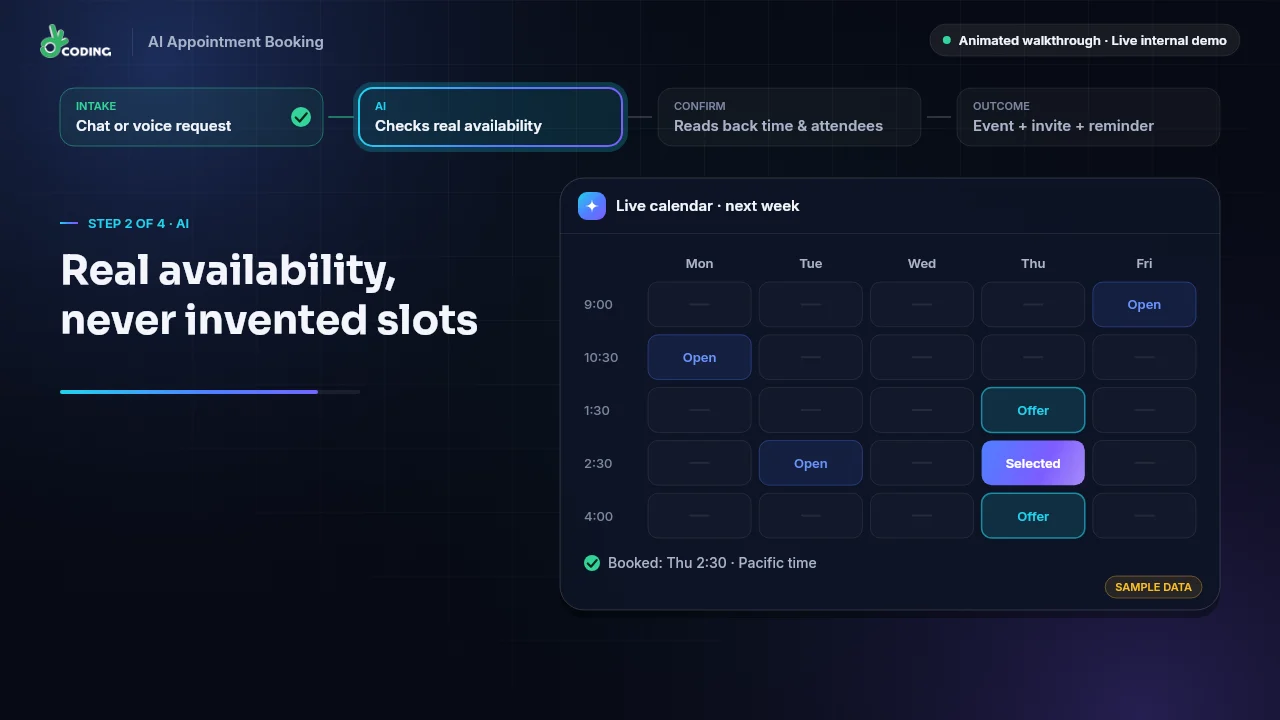
- Online booking that checks real availability instead of sending an email. See how booking without phone tag works.
- Forms connected to a CRM, so every inquiry is tracked instead of sitting in an inbox. A custom CRM is a separate project, but the website has to feed it.
- A chat assistant that answers questions after hours. We wrote a separate breakdown of what an AI chatbot costs.
- Online store and payments.
- Multiple locations or service areas, each needing its own page.
- Multiple languages.
Decide which of these you need in the first version and which can wait. Phasing features is one of the easiest ways to control cost.
How to compare quotes fairly
When you get two or three quotes, line them up against the same questions:
- How many pages, and who writes the content?
- Is mobile design included and tested on real phones?
- Who owns the domain, the code and the content after launch?
- What happens to old URLs from the current site?
- What is included after launch, and what does a small change cost?
- How are leads from forms delivered, and can they go into a CRM?
If your current site already exists, check it first. Our list of 9 signs your website is costing you leads helps you see whether you need a rebuild or just a few fixes.
Frequently asked questions
Is a website builder good enough for a small business?
Often, yes, for a simple information site. It becomes limiting when you need custom booking, CRM integration, unusual page structures, or speed and SEO control beyond what the template allows.
Why do website quotes vary so much?
Quotes cover different scopes. One may include content writing, SEO setup and launch testing; another may only include design. Ask each vendor to list the hours or deliverables per phase.
How long does a small business website take to build?
It depends on scope and on how fast content and feedback arrive. Content delays from the business side are the most common reason launches slip, so gather your text and photos early.
Want a clear scope and a written estimate for your site? Book a free call and we'll walk through what you actually need.
This article describes approaches and how our demos behave. It does not report measured customer outcomes unless it says so with methodology and permission.