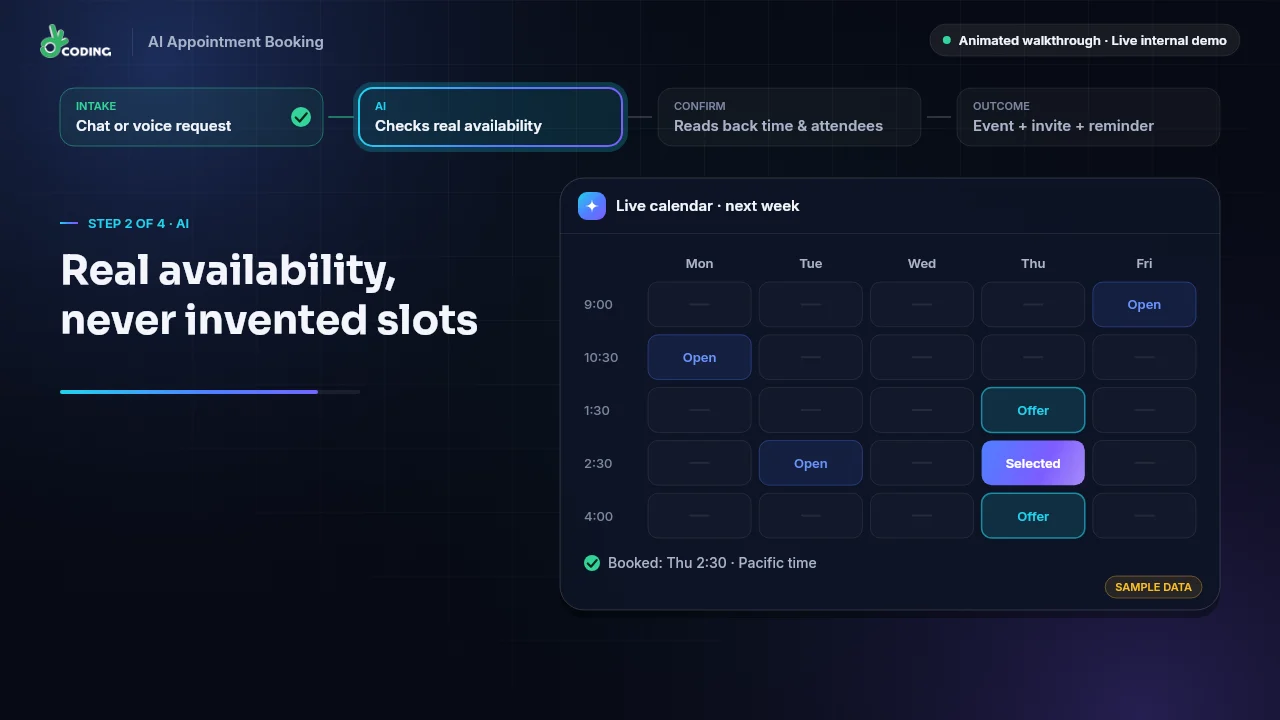

“Can your AI just book the appointment?” is one of the most common questions we hear. The honest answer is: yes, but only if a few things are true. Skip any of them and you trade phone tag for something worse — a confident assistant creating wrong events.
1. Availability must be real
The assistant should never guess at open times. It must query the actual calendar — taking into account working hours, buffers, existing bookings and time zones — and present only times that are genuinely free.
2. Confirmation must be explicit
Before anything is created, the assistant reads back the date, the time with time zone, and the attendees. Then it waits for a clear yes. Ambiguous speech (“Thursday sounds good, maybe”) is not a confirmation.
3. Double booking must be impossible
Two people can pick the same slot within seconds. The fix is to re-check availability immediately before creating the event, and to use idempotency so a retried request cannot create two meetings.
4. Failures must be visible
If the calendar API is down, the assistant must say the appointment was not booked and offer a path forward. Silently claiming success is the worst outcome.
Our booking demo shows the full loop — including the confirmation step most demos skip.
5. Reminders and rescheduling must be part of the system
Booking is only half the job. A booked appointment that the customer forgets is still an empty slot. A good booking system sends a confirmation right away, a reminder before the appointment, and an easy way to reschedule or cancel. When someone cancels, the slot becomes available again without anyone touching the calendar.
6. Time zones must be stated, not assumed
If your customers or your team are in different time zones, every message must say which time zone it means. "Tuesday at 10" is not a time. "Tuesday, 10:00 AM Pacific" is. The assistant should store times in one standard format and show them in the customer's local time.
Why phone tag costs more than it looks
Every back-and-forth to find a time is a chance for the customer to give up or book with someone else. It also takes staff time: a call, a voicemail, a callback, a text to confirm. Online booking removes most of that, but only if customers trust that the time they pick is real.
What to check before choosing a booking tool
- Does it read your real calendar, or keep its own copy that can drift out of sync?
- Can it handle buffers between appointments and different appointment lengths?
- What happens when two people pick the same time?
- Does it send reminders by text as well as email, with an opt-out?
- Can your team see and change bookings without logging into a separate system?
- If the calendar connection fails, does it say so clearly?
Off-the-shelf tools handle many of these well. When your booking depends on things like bay capacity, staff skills or several locations, a custom setup connected to your existing tools is often the better fit. That's what we describe on book without phone tag.
Frequently asked questions
Can an AI assistant book appointments by phone as well as chat?
Yes, if it is connected to your calendar and follows the same rules: real availability, an explicit confirmation and a clear message if something fails. We compare the options in AI receptionist vs. answering service.
How do video calls fit in?
The booking can create a video meeting link automatically. We explain the steps in Google Meet booking from your website.
Do I need to change calendars?
Usually not. Most modern calendars can be connected. The calendar you already use stays the source of truth.
Want to see how booking would work for your business? Read about AI automation for small businesses or book a call with a specialist.
This article describes approaches and how our demos behave. It does not report measured customer outcomes unless it says so with methodology and permission.