
Every dental office sends reminders. Most of them still have empty chairs on a Tuesday afternoon. The gap is not whether you remind people; it is whether the reminder arrives at the right moment, asks for one simple action, and does something useful with the answer.
This article is about that gap: what separates reminders that get ignored from reminders that keep the schedule full, and how to automate the whole loop so the front desk is not spending the first hour of every day on the phone.
Why the usual reminder does not move the numbers
The standard setup is a text or email 24 hours before the visit that says "You have an appointment tomorrow at 2 p.m." It is better than nothing. It also has three weaknesses:
- It asks for nothing. The patient reads it, thinks "right," and nothing changes if they were going to skip anyway.
- It comes too late to refill the slot. If they reply "I can't make it" at 9 p.m., the chair sits empty tomorrow.
- Replies go nowhere. Many systems send from a number that cannot receive texts. The patient answers "can I come at 3 instead?" and no one sees it.
A reminder is only as good as what happens after the patient responds.
A reminder sequence that works
Here is the sequence we set up for practices, with the timing that tends to work for routine hygiene visits. Adjust it for longer treatments.
One week before: confirm. "Your cleaning with Dr. Lee is Tuesday the 12th at 2 p.m. Reply YES to confirm or RESCHEDULE for other times." A week out, people still know their calendar and are willing to move things. A reply of RESCHEDULE triggers an offer of real open slots, not a phone tag.
Two days before: remind the confirmed, chase the silent. Patients who confirmed get a short reminder with the address and parking note. Patients who never answered get the confirmation request again, worded differently.
Day of: the practical details. Time, what to bring, the door code if there is one. No questions this time.
After a no-show: the recovery message. "We missed you today. Here are the next three openings." Sent within the hour, while the patient is still thinking about it. This one message recovers a meaningful share of missed visits, and almost nobody sends it.
The waitlist is where the money is
A cancellation 48 hours out is not a loss if someone else wants the slot. The problem is that calling down a paper waitlist takes the front desk twenty minutes and usually happens too late.
Automated, it looks like this: when a slot opens, the patients on the waitlist for that provider and that type of visit get a text at the same time. "An opening came up Thursday at 10 a.m. with Dr. Lee. Reply TAKE to claim it." First reply wins, the schedule updates, everyone else gets "that one's gone, you're still on the list." The whole thing takes three minutes and zero phone calls.
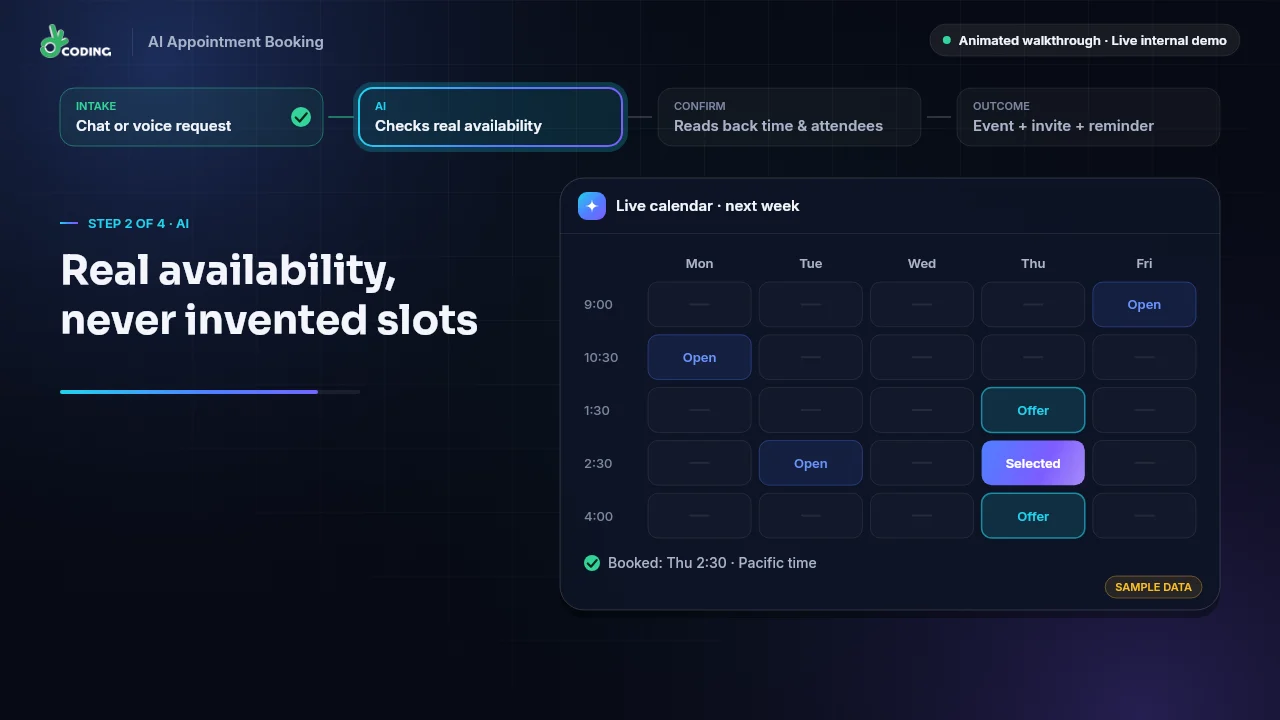
You can see the booking half of this flow in our appointment booking demo: a patient asks for a cleaning, the assistant checks real availability, offers options, confirms the chosen one and sends the confirmation.
Answering the questions that come back
Once patients can reply, they will, and not only about scheduling. "Do you take Delta Dental?" "How much is a crown?" "Can I eat before my appointment?" Those messages used to be calls; now they are texts that still need answers.
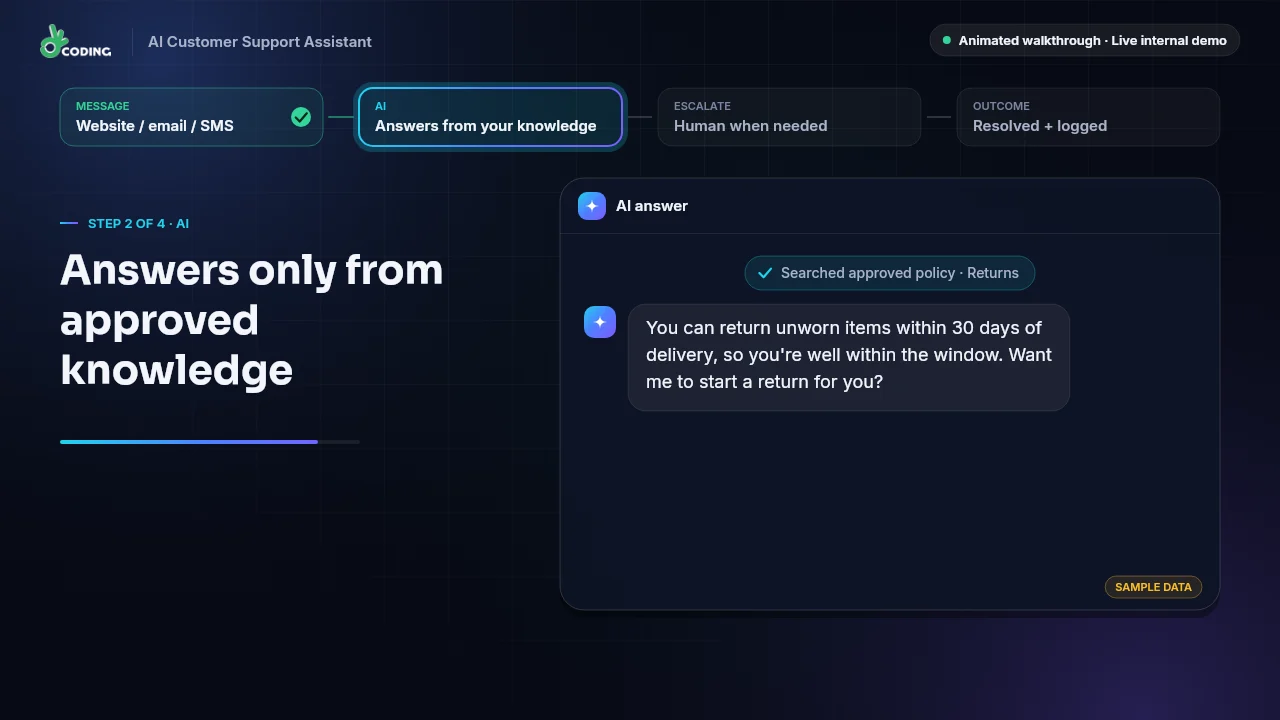
This is where an assistant earns its place. It answers the routine questions from the practice's own information: insurance accepted, office hours, prep instructions, parking, cancellation policy. Anything clinical, anything about a specific patient's treatment, and anything about money beyond published policy goes to a person, with the conversation attached so nobody has to ask the patient to repeat themselves. Our customer support demo shows how that handoff works.
The rules we keep for healthcare practices
- The assistant never gives medical advice. "Is this swelling normal?" gets a human, fast.
- Messages contain only what the patient needs: time, place, provider. No diagnosis, no treatment detail, in case someone else sees the phone.
- Patients can opt out of texts in one word, and that preference is respected everywhere.
- Everything the assistant sends and receives is logged, so the practice can show exactly what was said.
What changes at the front desk
Nothing about the clinical side of the practice changes. What changes is the morning. Instead of a list of unconfirmed appointments to call, the coordinator opens a schedule where most visits are already confirmed, the two cancellations from last night already went to the waitlist, and one of them is already filled. The calls that remain are the ones that genuinely need a person.
Getting started
The sequence above runs on top of the scheduling software you already use; the assistant reads availability from it and writes confirmations back. Setup is mostly deciding the wording, the timing and the escalation rules, which we do with you, in your language, not with a template.
If you want to see it before committing to anything, watch the demo or book a short call. A specialist will look at your current no-show pattern and tell you honestly what the sequence would and would not change.
This article describes approaches and how our demos behave. It does not report measured customer outcomes unless it says so with methodology and permission.